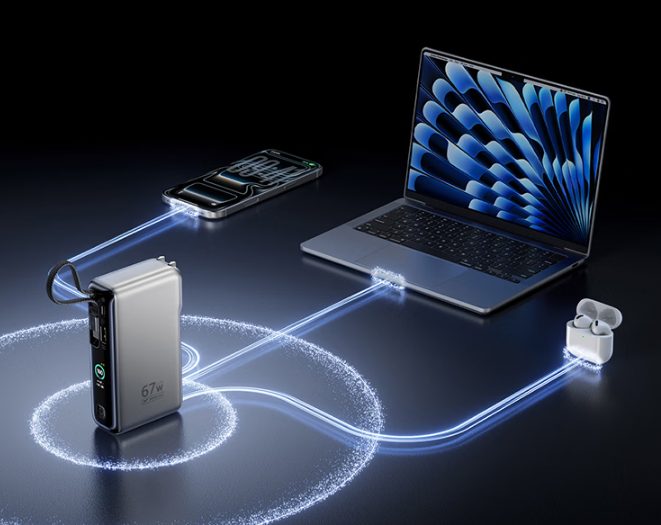
Running a large laptop from a battery requires the pack to negotiate a voltage the laptop accepts and to sustain it. That combination is what separates a 140W power bank from a 20,000 mAh pack advertised at a similar figure, and it comes down to the standard the pack implements rather than to capacity.
PD 3.1 and the extended power range
USB Power Delivery 3.0 tops out at 100W over a 20V link. To exceed it, PD 3.1 added an extended power range that raises the negotiated voltage to 28V, 36V or 48V, and 28V at 5A is what produces 140W. Both ends must support the extension. A laptop that implements only PD 3.0 will accept 100W from a 140W pack and no more, which is usually still enough to charge it, but more slowly than the pack is capable of.
| Item | Value | Note |
|---|---|---|
| Peak output | 140W on one port | Requires PD 3.1 EPR at both ends |
| Capacity | 24,000–27,650 mAh | Roughly 89–99 Wh |
| Cable | 240W rated, e-marked | An unmarked cable caps the link at 60W |
| Refill input | 100–140W | About 90 minutes at the top rate |
| Weight | 550–700g | The heaviest class carried in a bag |
The watt-hour position
The largest packs in this class land just under 100 Wh, which keeps them inside the cabin limit that applies without airline approval. Units above 100 Wh, up to 160 Wh, require the airline's consent before carriage. That consent is granted routinely but must be arranged, and a pack that looks identical to a compliant one may be refused at the gate for this reason alone. The watt-hour figure is printed on the case; the milliamp-hour figure is not the one security reads.
Simultaneous output
- Only one port holds the peak. A 140W pack typically delivers 140W on port one, or 100W and 45W across two ports, or 65W plus two lower outputs across three. Nothing adds up to the peak; the combination table states what each arrangement delivers.
- Charging the pack and devices at once. Some units pass through at reduced output, some suspend one direction, and some decline altogether. Where a pack is intended to live on a desk between a wall charger and a laptop, this is the first specification to check.
- Self-discharge and storage. A pack left for months at 100 per cent loses capacity faster than one stored near 50 per cent. For equipment used seasonally, storing at half charge is the difference between three years of service and five.
Before buying
- Confirm the laptop's accepted voltage and wattage rather than assuming the highest figure applies. A 140W pack on a 65W laptop works, but the pack is being carried at its weight for nothing.
- Budget for a 240W rated cable. It is part of the circuit, not an accessory.
- Check the weight with the cable included, since a desk-bound pack is often carried with one.
- Check the display. On packs this size, used across several devices, a per cent readout is more useful than indicator lights.
Where to start
- Best power banks in 2026 — the 25,000 mAh class compared on output and weight.
- Power bank buying guide — the relationship between capacity, output rating and refill time.
- Flying with a power bank — the 100 Wh and 160 Wh thresholds and what each one requires.
Where to buy a 140W laptop power bank
This category page links out to a retailer once the final product link is confirmed. Outbound purchase links are treated as affiliate links and are disclosed in the Advertising Disclosure.
Price link pendingOutbound product link pending. Set the "laptop-power-bank-140w" key in .workbuddy/tools/product-links.json, then re-run the build, to activate this button.