Two bays is the point at which a network enclosure becomes worth having. One bay stores a single copy of everything and offers no more protection than the drive inside it; two bays allow a mirrored pair, so a drive can fail without the data being lost. Everything above two bays buys convenience and efficiency rather than a different principle.
What two bays give you
| Property | Two bays, mirrored |
|---|---|
| Usable capacity | One drive's worth, regardless of how many are fitted |
| Survives | One drive failing, without any intervention |
| Does not survive | Deletion, malware, theft, fire, or a fault in the enclosure itself |
| Read performance | Can exceed a single drive; writes do not |
| Capacity growth | By replacing both drives in turn, not by adding one |
| Noise and power | Two drives rather than four, which is the quiet, cool end of the range |
The capacity figure is the one that catches buyers out. Fitting two 8 TB drives produces 8 TB of usable space, not 16. If that figure is not enough for the next three years, the correct choice is a four-bay enclosure now rather than a two-bay enclosure followed by an expensive migration later.
What to check before buying
- Whether the platform supports a current four-bay upgrade path. Some vendors let a two-bay unit's drives be moved into a larger enclosure of the same family and expanded in place. Where that is possible, the drives survive the upgrade and the cost of being wrong about bay count falls sharply.
- The network port. A gigabit port caps the whole household at roughly 110 to 118 MB/s. Where 2.5GbE is offered at a small premium, it is worth taking.
- Drive compatibility and the vendor's list. Enclosures vary in how tolerant they are of drives outside the tested list, and a unit that refuses an unrecognised drive is a unit that constrains future purchases.
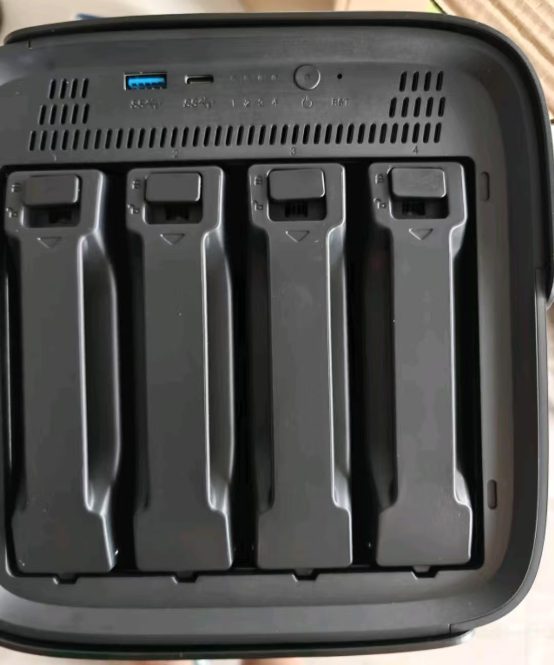
- Whether the drive trays are tool-free. Replacing a failed drive should not require opening the enclosure or handling screws.
- What the vendor's operating system includes. Sharing, scheduled backup, photo management and remote access should be present without additional licences; the difference between vendors is mostly in the quality of those interfaces rather than in their number.
Where to start
- Does a household actually need a NAS? — the test to apply before choosing an enclosure at all.
- NAS buying guide — bay count, drive technology, RAID levels and five-year running cost.
- DIY vs. prebuilt NAS — what a self-built equivalent costs, and what the saving leaves out.
Where to buy a two-bay NAS
This category page links out to a retailer once the final product link is confirmed. Outbound purchase links are treated as affiliate links and are disclosed in the Advertising Disclosure.
Price link pendingOutbound product link pending. Set the "two-bay-nas" key in .workbuddy/tools/product-links.json, then re-run the build, to activate this button.